If you’ve ever ordered a custom engraving on a phone case, a tailored prosthetic liner, or a one-of-a-kind watch with your initials embedded, you’ve experienced the end result of CAD/CAM in action. When I started our CAD/CAM equipment supply business a decade ago, most folks in manufacturing thought “custom” meant “small batch, low profit, more headaches.” Back then, making a custom product required hours of hand-drawing, endless back-and-forth with machinists, and a risk of messing up the first prototype that cost you a fortune. Now? That model’s gone completely. Our customers—everything from small specialty shops to mid-sized medical device makers—hit “generate tool path” on their computer, and a machine pulls a custom part out of a block of metal, plastic, or wood the same day. It’s not magic—it’s how CAD/CAM bridges the gap between a random idea in a customer’s head and a product you can hold in your hand. CAD/CAM Equipment

Let’s start with the basics, no jargon promise. CAD stands for Computer-Aided Design, and CAM is Computer-Aided Manufacturing. Think of CAD as your digital sketchpad, but way smarter than a notebook and pencil. For custom products, you’re not working off a pre-made blueprint—you’re creating something unique, so CAD lets you tweak every single detail until it’s perfect. Say you run a local orthotics shop, and a patient comes in with a partially amputated foot that needs a custom prosthetic socket. Before CAD, you’d spend hours tracing the patient’s residual limb with a pen or a foam impression, then hand-draw the socket shape on graph paper, cross your fingers, and hope the machinist got it right. Now, you pop a 3D scan of the limb into a CAD tool, drag the cursor to adjust the socket’s inner curve so it’s more comfortable, add a slot for a custom strap, and even test how it will fit on a standard foot brace—all in one session. No more eraser smudges, no more mistaking a millimeters-wide curve for something else. That’s the first win: CAD eliminates the fuzziness of custom design, turning a vague “it should fit right” into precise, repeatable measurements no human could get just by tracing.
But here’s where a lot of people miss the magic link: CAD doesn’t stop at the design. It feeds straight into CAM, which tells your CNC (computer numerical control) machines exactly how to cut, mill, or engrave your part. Let’s stick with that prosthetic socket example. Once you’re done tweaking the CAD model, you hit a button that translates all those digital curves into a set of instructions for your CAM software. That CAM part spits out a tool path—like a roadmap for your machine that says, “Start here, cut this deep, move this fast, avoid this edge.” Ten years ago, a machinist would have to manually code that tool path, which meant hours of work and a chance of human error. Now? The software does it automatically, and it adjusts for the material too. If you’re using a lightweight titanium alloy vs. a flexible plastic, the CAM tool changes the tool’s speed and depth so you don’t crack the plastic or waste expensive metal. For custom products, that’s a game-changer because every product is different—so you can’t use a pre-written code for a standard part. CAM adapts on the fly to whatever custom design you throw at it.
Now, let’s talk about why this is specifically for customization, not just mass production. Mass production works because you make 10,000 of the same thing, so you can set your machine once and run it all day. Custom production is the opposite: every single part is different. If a bakery wants to make custom cookie cutters for a wedding—each with a different couple’s initials, different sizes—you can’t re-set your machine every time without losing half a day. Our CAD/CAM systems solve that because switching from one custom design to another takes minutes, not hours. Our recent customer, a small custom cutlery maker, told us before they got their system, it took 3 days to make 5 custom steak knives—each with a unique handle shape, engraved with a customer’s name, and a different blade angle. Now? They upload 5 CAD files, the CAM tool generates 5 different tool paths, and the machines run overnight, ready to ship next day. That’s the thing about customization: the cost doesn’t skyrocket just because each part is unique. Before CAD/CAM, the more custom you got, the more labor you needed, so most shops only took big orders. Now, a single customer can order one custom knife, and it’s priced fairly because the machine does the heavy lifting, not a team of machinists.
Another big one for custom products: iteration speed. If you’re making something one-of-a-kind, you’re almost never happy with the first try. Let’s say a furniture maker we work with designed a custom dining table for a client who wanted a live oak edge but worried the curve was too sharp. With CAD, they can tweak the edge curve in 10 minutes, generate a new tool path, and mill a new prototype in 2 hours. Before, they’d have to hand-carve a new edge out of a block of oak, which took a full day, and they’d waste a lot of material getting it right. For small-batch or high-margin custom products, that speed means you can please customers faster. No more waiting two weeks for a prototype only to find out it’s not quite right—you can adjust it in a day, and the customer doesn’t have to start over. We’ve had a jewelry maker use our system to test 3 different settings for a custom engagement ring in a single afternoon; they showed the designs to the client that same day, picked their favorite, and had the ring finished 3 days later. That’s a huge competitive advantage over shops that still do this the old way.
Wait, let’s not forget about the tiny details that make custom products feel personal. A lot of people think CAD/CAM is just for big industrial parts, but it works for super small, intricate stuff too. Take custom engravings on a leather wallet or a custom keychain with a pet’s face. CAD tools let you import a photo of that dog, turn it into a 2D design, and adjust the engraving depth so the lines are crisp but not too deep that they crack the leather. CAM then tells your laser cutter or engraving machine exactly where to etch, so every copy is identical to the original photo—way better than hand-engraving, where each one would have a slightly different line weight. That’s why so many small personalization shops use our equipment now: they can offer high-quality, custom engraved products without hiring a team of skilled engravers who would charge a fortune for each item.
But here’s the catch: CAD/CAM only works if you know how to use it, right? I talk to a lot of small shop owners who are scared of these systems because they think it’s too complicated. That’s why we don’t just sell machines—we walk customers through every step. When a first-time buyer comes in, we show them how to import a design, adjust it, and turn it into a tool path without needing a computer engineering degree. For example, when a local orthotics shop got their first CAD/CAM machine, we had their technicians set up a test socket, make a quick prototype, and fix it in a day. By the end of the week, they were making custom sockets for 3 patients on their own, no outside help. That support is key because customization relies on flexibility—if the machine is too clunky to adjust, you can’t make the small tweaks that make a product truly custom.
Another point: material waste. When you’re making custom products, you might think you’ll use a lot of extra material, but CAD/CAM actually cuts waste way down. Because the software creates an exact tool path for each custom part, it doesn’t cut more material than you need. Before, a machinist might leave extra space around a custom part to avoid messing it up, which means you’re throwing away half a block of metal or wood. Now, the CAM tool calculates exactly how much space you need, so you can use every bit of material. For a shop that works with expensive materials—like precious metals for jewelry or titanium for medical parts—that saves a ton of money. Our medical device customers tell us they’ve cut material waste by 40% since switching to our CAD/CAM systems, which lets them pass those savings on to patients who need custom devices that aren’t covered by insurance.
Let’s also talk about scalability. A lot of custom product makers start small, then get big enough to take both custom and mass orders. CAD/CAM works for both. Say a custom furniture maker starts out making one-off dining tables, then gets a contract to make 100 custom office desks for a company. The same system you use for a single custom table works for 100 desks—you just duplicate the CAD design and adjust the tool path for the different wood types. That’s way easier than buying separate machines for custom and mass production, which a lot of shops did back in the day. So CAD/CAM doesn’t just support customization—it lets you grow your business without starting over.
I’ve seen this first-hand with a client of ours who makes custom motorcycle parts. A few years ago, they only took custom orders for people who wanted a one-of-a-kind gas tank or handlebar. Last year, they used their CAD/CAM system to create a line of custom handlebars in 5 popular designs, which they sell online to everyday riders. The same machine that makes a single custom handlebar for a customer also runs 50 of the same handlebars for their online store. That’s the power of CAD/CAM for customization: it doesn’t lock you into only small jobs. You can be a custom shop and a small-batch mass producer at the same time, which opens up a lot more revenue streams.
Now, let’s be real—there are still challenges. CAD/CAM isn’t perfect. If you’re working with a material that’s really weird, like a composite that changes shape when heated, the CAM tool might not always account for that, so you need to adjust. Or if a customer brings in a hand-drawn sketch that’s super vague, you have to turn that into a precise CAD design, which takes some skill. But that’s why having a good equipment supplier matters. We don’t just sell a box and leave you to figure it out. We offer tutorials for beginners, troubleshooting for weird material issues, and even software updates that make the design process easier. Last month, we rolled out a CAD update that lets users import hand-drawn sketches and turn them into digital designs automatically—no more manually tracing a messy sketch. That kind of innovation is what makes CAD/CAM work for real people making real custom products.
At the end of the day, custom products are about one thing: making something that fits a specific person’s needs, not a one-size-fits-all model. Before CAD/CAM, that was expensive, slow, and often not as good as it could be. Now, it’s accessible, fast, and affordable. Whether you’re a small shop making custom dog tags, a medical maker making prosthetics, or a furniture maker making dining tables, CAD/CAM is the backbone that turns a customer’s “I want something just for me” into a product they’ll love.
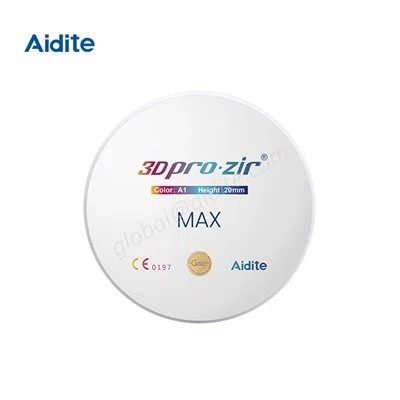
If you’re ready to upgrade your custom product process or just want to see how our CAD/CAM equipment can work for your business, reach out to us to set up a chat about your specific needs. We don’t do one-size-fits-all sales—we’ll walk you through what will work for your products, your budget, and your long-term goals. Don’t stick with old, slow methods when you can make custom products faster, cheaper, and better than ever.
Glass Ceramic References
- ASTM International. (2021). Standard Guide for Computer-Aided Design and Computer-Aided Manufacturing (CAD/CAM) Systems for Custom Medical Devices.
- Jacobs, P. F. (2020). Additive Manufacturing vs. Subtractive CAD/CAM for Customized Products: A Comparative Analysis. Journal of Manufacturing Systems.
- Wohlers, T. T. (2022). Wohlers Report 2022: Additive Manufacturing and 3D Printing State of the Industry. Wohlers Associates.
- U.S. Small Business Administration. (2021). Adopting CAD/CAM Systems for Small Batch Custom Manufacturing.
Aidite (Qinhuangdao) Technology Co., Ltd.
Aidite (Qinhuangdao) Technology Co., Ltd. is one of the most professional CAD/CAM equipment manufacturers and suppliers in China, featured by quality products and good service. Please rest assured to buy bulk CAD/CAM equipment at competitive price from our factory. Also, quotation is available.
Address: No.9 Dushan Road, Economic and Technological Development Zone, Qinhuangdao, Hebei Prov., China
E-mail: global@aidite.com
WebSite: https://www.aiditeglobal.com/
