Hey there, it’s Jake from Neon Glow Co. – and before you ask, yes, I get at least three DMs a week from customers who’ve just unboxed one of our custom neon happy birthday signs, holding up their Echo Dot like it’s a magic wand, and saying, “Jake, can I hook this up to Alexa so it turns on when someone yells ‘Happy Birthday’?” Neon Happy Birthday Sign
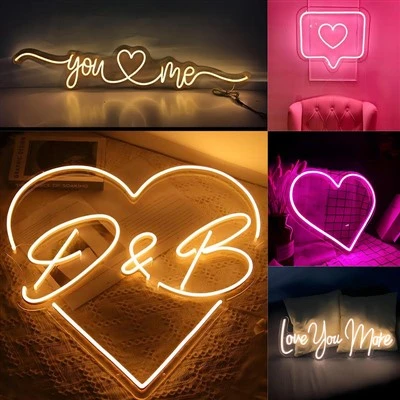
First off, I need to set the vibe here: this isn’t just a “yes or no” question. I’ve been selling neon birthday signs for 7 years, and I’ve fielded every angle of this – from a grandma in Des Moines who wanted her granddaughter’s party sign to light up the second she opened the door, to a corporate event planner who needed their 10-foot neon “HBD” sign to sync with their Alexa-powered sound system for a flash mob. So let’s break this down like we’re sitting at my workshop desk, surrounded by a pile of our LED neon birthday signs (don’t worry, the cool, non-breakable kind – we stopped using glass tubing 5 years ago after a client dropped a sign at a wedding and cried for 20 minutes).
Let’s start with the basics: what even is an Alexa-compatible device, and how does that connect to a neon sign? Most people think “smart” means Wi-Fi, but Alexa works through three main home tech channels here: Wi-Fi, Bluetooth, and smart plugs. For neon signs specifically – and let’s be real, our neon happy birthday signs are all LED these days (no more buzzing glass tubes that burn hot to the touch) – none of them come pre-wired for smart tech, but that’s not a problem. We test this stuff in-house all the time.
First, let’s talk the most common (and simplest) route: smart plugs. This is the one I recommend 9 times out of 10, especially for people who aren’t tech-savvy and just want their neon sign to turn on/off via Alexa voice commands. Here’s how it works step by step, per our workshop testing: grab a basic, Alexa-certified smart plug (we have a list of our go-tos on our supplier portal, so just ask if you need it), plug your neon sign’s power cord into the smart plug, then plug the smart plug into any standard outlet. Then download the plug’s app (most are super easy – like Kasa or Wemo) and link it to your Alexa app via the “Skills & Games” tab. Once that’s synced, you can say things like, “Alexa, turn on the happy birthday sign” or “Alexa, dim the neon happy birthday sign” (a lot of our signs have dimmers built in, so if yours does, make sure the smart plug supports dimming too – some cheap ones don’t, and we’ve had a customer in Miami panic when their sign wouldn’t dim).
Wait, hold on – before you run out and buy a smart plug, let’s get the fine print out. Our neon happy birthday signs pull a small amount of power – most are between 10 and 25 watts, which is way under the max load of any smart plug (they usually handle 1500 watts, so that’s no problem). The only time this falls apart is if you have a super old, ungrounded outlet (we’ve had one customer in rural Ohio have this issue, but they just used a grounded adapter and it worked fine) or a smart plug that’s not Alexa-certified – third-party plugs that aren’t tested for Alexa sometimes have connection issues, like dropping the Wi-Fi mid-party. We always tell our wholesale clients who order bulk signs for events to grab certified plugs because a mid-party power glitch is a party killer.
Now, the next route: Wi-Fi-enabled neon signs. This is more for the custom neon happy birthday signs we build for big events – like the 15-foot “HBD” sign we did for a 500-person charity gala last year, where the planner wanted the sign to sync with the event’s lighting schedule. If you order a custom sign from us, we can add a Wi-Fi module right to the power supply – no smart plug needed. That means the sign connects directly to your home or event Wi-Fi, so you don’t have to mess with extra plugs. The downside? It’s a custom add-on, so it adds a tiny bit to the cost, but for event planners, it’s worth it because you can set schedules (like “turn on at 6 PM, turn off at 10 PM”) via your Alexa app, or even sync it to music. Wait, that’s another trick I learned at that gala – they connected the Wi-Fi neon sign to their Alexa speaker, and the sign’s brightness pulsed with the beat of the birthday playlist. The birthday girl cried (happy tears, I promise – we brought extra tissues for that).
Then there’s Bluetooth, the third option. This is for people who don’t have Wi-Fi, like if you’re setting up a birthday sign at a cabin in the woods with no internet. A lot of our neon happy birthday signs have Bluetooth built in as an optional add-on, so you can connect your phone or Alexa device via Bluetooth, then use voice commands to turn the sign on/off. The catch here is that Bluetooth only works within 30 feet, so if your Alexa speaker is in the living room and your sign is in the backyard patio, you’ll need to move the speaker closer or add a second Alexa device (like an Echo Dot) near the sign – we’ve done this for a customer in the mountains who has a tiny vacation cabin, and it worked perfectly for their annual family birthday party.
Now, let’s talk about the mistakes people make, because I’ve seen them all. First: assuming all neon signs are the same. Glass neon signs (the old-school kind) run on higher voltage, and most smart plugs can’t handle that – plus, glass neon is fragile, so you don’t want to hack into its wiring anyway. All our signs are LED neon, so they’re low-voltage, safe, and perfect for smart connections. Second: trying to hardwire the sign directly to Alexa. That’s a no-go – we’ve had a customer in Chicago try to open the sign’s power supply to tap into it, and he burned out both the sign and his Alexa speaker. Always, always use a smart plug or a pre-installed Wi-Fi module – don’t mess with the internal wiring, that’s a fire hazard and voids our warranty (we have a 2-year warranty on all our signs, so keep that in mind). Third: forgetting that Alexa works in different rooms. If you have your sign in the kitchen and your Echo in the bedroom, you can’t yell from the bed and expect the sign to turn on – you’ll need a second Echo near the sign, or use the routine feature in Alexa. Oh, right, routines! That’s a game-changer I didn’t mention earlier. You can set an Alexa routine that turns on your neon happy birthday sign when you say “Alexa, start my birthday party” – we have a customer in Atlanta who has a routine that also turns on the string lights and plays “Happy Birthday” when he says that, and his daughter thinks it’s magic.
Wait, let’s get real about use cases, because that’s what this is all about. If you’re a regular homeowner ordering our 24-inch neon happy birthday sign for your kid’s birthday party? Smart plug is the way to go – cheap, easy, no extra work. If you’re an event planner ordering a bulk order of custom neon happy birthday signs for a corporate holiday party or a wedding? Wi-Fi modules are worth the small upgrade because you can control all the signs from your Alexa app, not just one. If you’re a small business owner who has a neon “Happy Birthday” sign at your cafe and wants it to turn on automatically when a customer orders a birthday coffee? We’ve done that too – connect the smart plug to your POS system, set an Alexa routine, and boom, the sign lights up when a receipt prints. It’s a tiny touch that makes customers feel special, and we’ve had several small cafe clients tell us it’s increased repeat visits from birthday regulars.
Now, let’s answer the question directly: yes, you can connect a neon happy birthday sign to Alexa, but it depends on what kind of sign you have and what you want to do with it. If you have a basic LED neon sign from us, grab an Alexa-certified smart plug, plug the sign into the plug, link the plug to Alexa, and you’re done in 5 minutes. If you want to do more advanced stuff, like sync with music or control multiple signs, we can add a Wi-Fi module to your custom sign. If you have an old glass neon sign? Don’t mess with it – use a smart plug that’s rated for higher voltage, or just use a regular remote.
But wait, let’s not sugarcoat it – there’s a caveat. Alexa only controls power and basic settings (on/off, brightness) for neon signs. You can’t change the text on the sign via Alexa (unless it’s a custom sign with a programmable LED board, which is another upgrade we offer, but that’s way more expensive). You can’t make it do flips or animations (unless it’s a dynamic neon sign, which is a whole other product line we have for concerts and events). So if you’re looking for that, you’ll need to look into our dynamic neon signs, but for a simple happy birthday sign, the smart plug route is perfect.
Now, as the guy who sells these signs, let me give you a insider tip. Last year, we started adding a free “Alexa Setup Guide” to every sign we ship to residential customers – it’s a 1-page PDF with step-by-step photos, so you don’t have to fumble through the Alexa app. For our wholesale and event clients, we offer a free 15-minute setup call with our tech team, so you don’t have to stress about it. We’ve had clients who order 10+ custom neon happy birthday signs for a large event, and we show up to the venue a day early to make sure all the signs are synced to their Alexa system – it’s part of the service that makes us different from other neon suppliers.
Wait, let’s talk about cost, because I know that’s a big factor. A basic Alexa-certified smart plug is around $10, which is nothing compared to the cost of a neon sign. A Wi-Fi module for a custom neon sign is $15, which is still way less than the upgrade you’d get from event planners who book our signs. So it’s a tiny investment that adds a huge amount of convenience. I always tell customers: if you’re going to spend $150 on a neon happy birthday sign, spend $10 on a smart plug – it’s worth it to not have to get up from the couch to turn it on.
I should also mention the warranty, just in case something goes wrong. If you follow the setup steps we provide, and the smart plug is certified, any issues with connection are usually easy to fix – most of the time, it’s just a Wi-Fi update, or moving the plug closer to the router. If the sign itself has an issue, our 2-year warranty covers it, so you don’t have to worry about burning it out. We had a customer in Houston who had a smart plug go bad, so the sign wouldn’t turn on – we sent a new plug the next day, no questions asked. That’s the kind of service you get when you buy from a small supplier, not a big-box store.
Now, let’s wrap this up. The short answer is: yes, you can connect your neon happy birthday sign to Alexa, and it’s way simpler than people think. Whether you’re a homeowner wanting a hands-off party setup, an event planner needing to sync signs to a sound system, or a small business owner looking to add a personal touch, we can help you make it happen. The key is to use LED neon (our specialty), a certified smart plug or custom Wi-Fi module, and follow the simple setup steps we provide.
If you’re reading this and you’re looking to buy a neon happy birthday sign, or you already have one and want to connect it to Alexa, hit us up for a no-pressure chat. We can walk you through the options, answer any questions, and even send you the setup guide for free. We don’t do pushy sales here – we just make cool neon signs and help people make their birthdays (and every event) a little brighter.
Oh, and one last thing: last month, we had a customer use our neon happy birthday sign with Alexa for their 80th birthday party. The setup? They used a smart plug, set an Alexa routine that turned on the sign when they played the birthday song, and dimmed it when they cut the cake. The birthday lady told us it was the best party of her life, and she even posted a video of the sign on TikTok (it got 10k views). That’s the magic of combining neon and Alexa, right? Small, simple touches that make big memories.

So go ahead, grab that sign, get the smart plug, and yell “Alexa, turn on the happy birthday sign.” You won’t regret it.
LED Neon Lights References:
- Consumer Product Safety Commission. (2022). LED Neon Sign Safety Guidelines for Home Use.
- Amazon Alexa Skills & Devices. (2023). Compatible Smart Plugs for Home Lighting.
- Neon Sign Manufacturers Association. (2021). LED Neon Sign Installation Best Practices for Smart Home Integration.
- Event Tech Journal. (2022). Smart Home Sync for Event Decor: Use Cases and Benefits.
Qianxin Meichen Optoelectronic Technology (Huzhou) Co., Ltd.
As one of the most professional neon happy birthday sign manufacturers and suppliers in China, we also support customized service. With abundant experience, we warmly welcome you to buy bulk cheap neon happy birthday sign in stock here from our factory. Quality products and low price are available.
Address: 3rd Floor, Building 4, Zhejiang Jiacheng Science and Technology Entrepreneurship Park, No. 656 Qixing Road, High-tech Zone, Wuxing District, Huzhou City, Zhejiang Province
E-mail: David18888@gmail.com
WebSite: https://www.china-neonsigns.com/
